Platform
The operating system for post-sales.
Six modules that share one data model - so the health score, the journey, the agents and the workflows are always looking at the same account.
Today's Focus
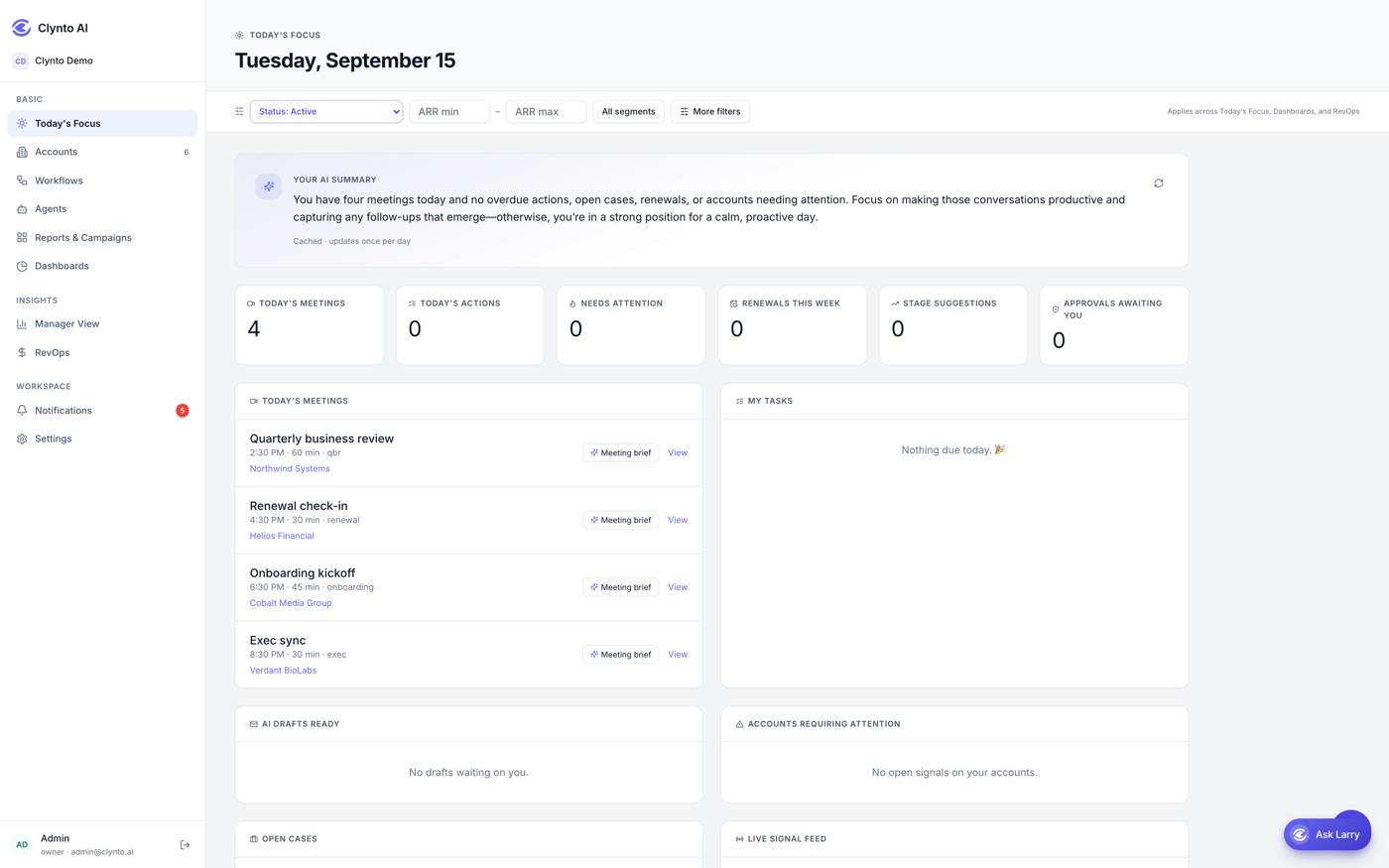
Start the day knowing what needs you.
Not an org-wide dashboard - only your book. Tasks due today, the signals that fired on your accounts overnight, and the meetings you have coming. It is the page a CSM opens first, and the reason nothing else needs checking.
- Tasks due today, across every account you own
- Signals raised on your accounts while you were away
- Today's meetings from your connected calendar
- Scoped to you - a CSM sees only accounts assigned to them
Account 360
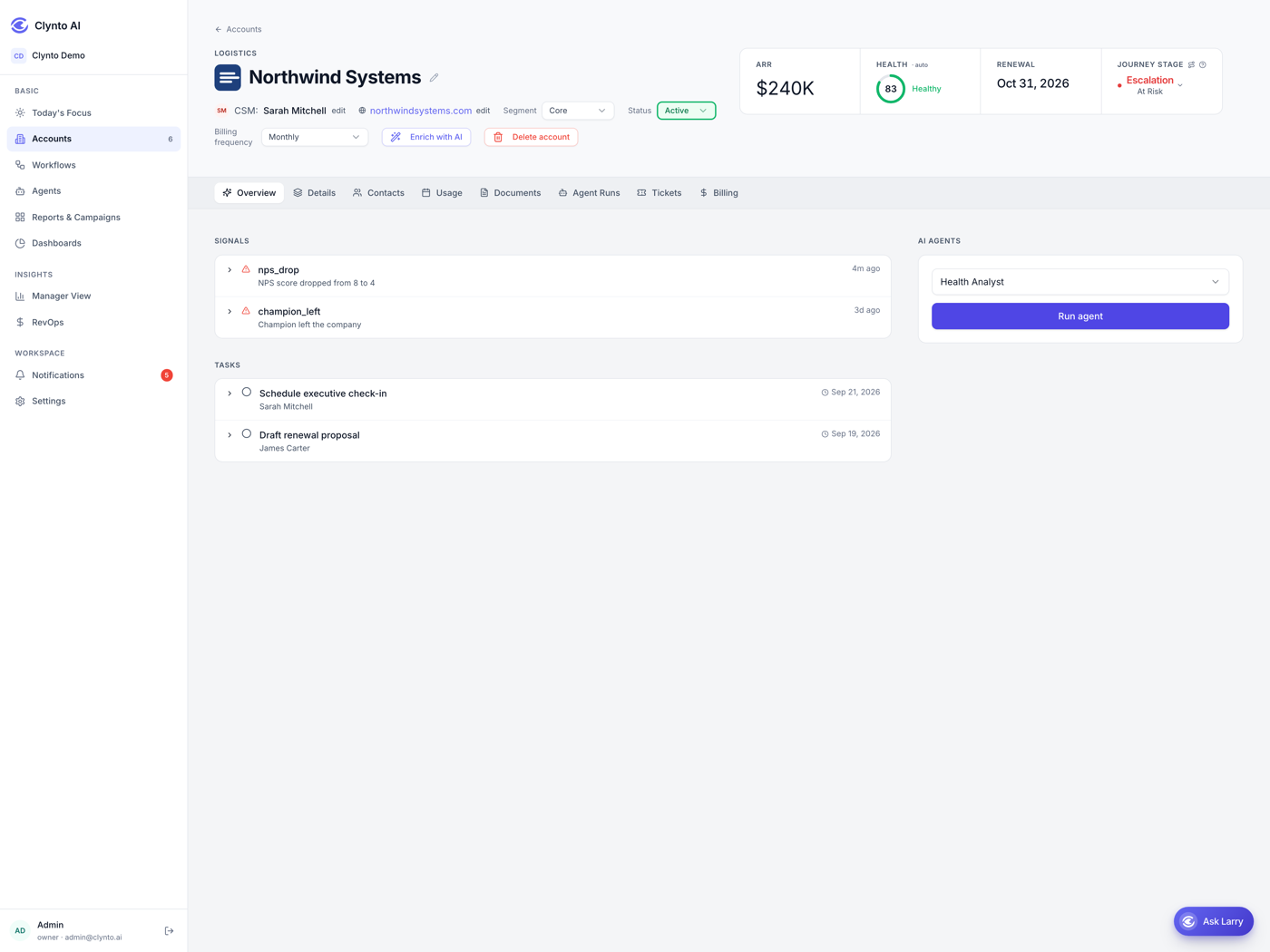
Every account. One screen. No tabs.
Contract value, renewal date, product usage, open tickets, stakeholder map and journey stage - pulled from your CRM, product analytics and support desk into a single view. The interface is deliberately neutral; colour appears only where an account is at risk, so your eye lands where it matters.
- A pinned first column, resizable widths and 21 optional columns
- Inline editing of owner and dates, without leaving the table
- Eight tabs per account: overview, details, contacts, documents, onboarding, agent runs, tickets, billing
- Every edit audit-logged, keeping the previous value
Six-Pillar Health Score
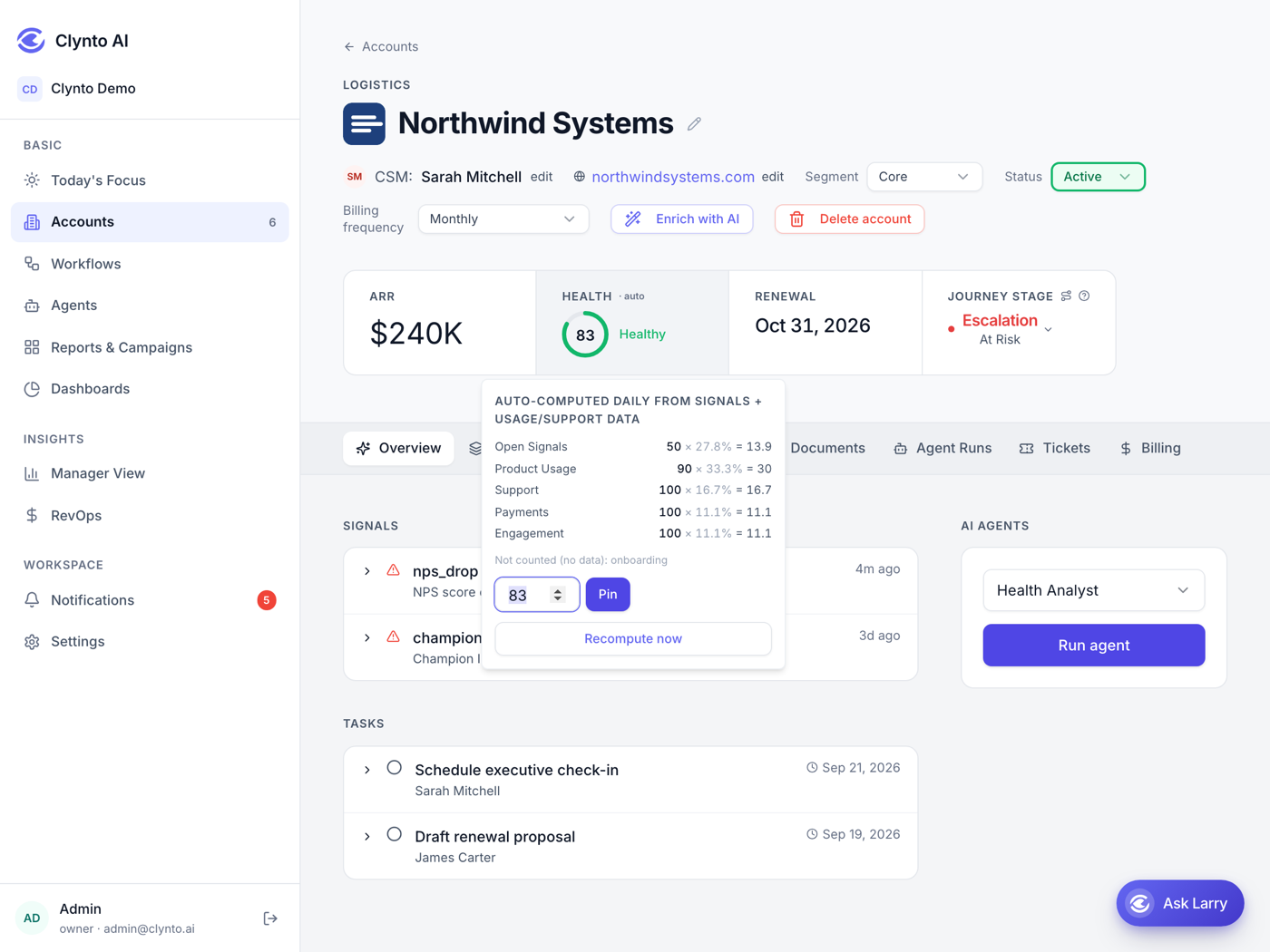
Health you can defend in a board meeting.
Most health scores are one number nobody trusts. Clynto scores six pillars separately - adoption, engagement, support, relationship, commercial and sentiment - and shows the driver behind every movement. Weights are yours to set; Clynto proposes a starting model from your historical churn.
- A per-factor breakdown behind every score, visible on the account
- Missing data is never penalised - no Mixpanel means no adoption penalty
- Recomputed on a schedule you set, per segment or per account
- Pin a score by hand to pause recompute while you investigate
Journey Timeline
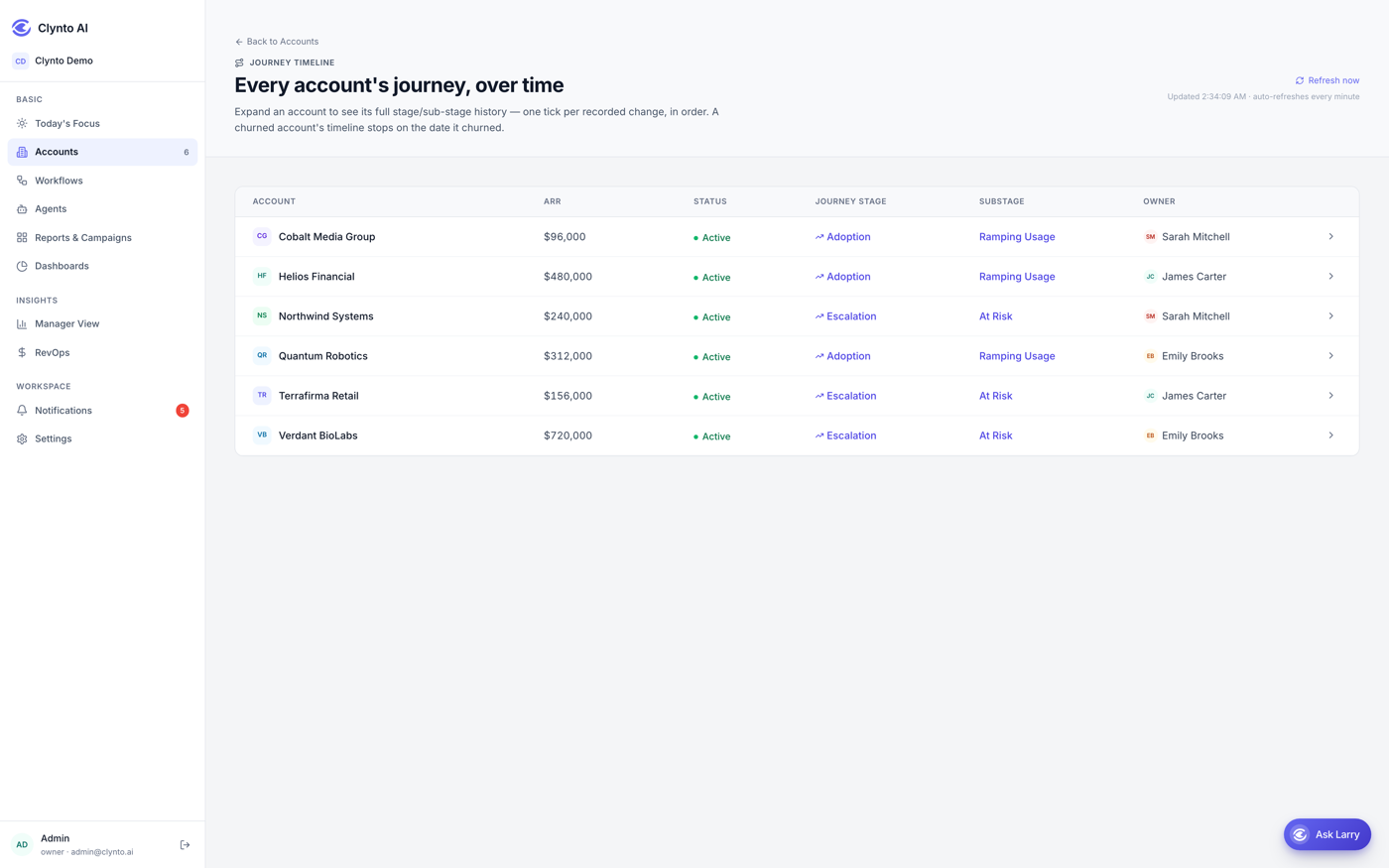
See exactly where an account stalled.
A two-lane timeline shows stage and sub-stage for every account - onboarding, adoption, value realisation, renewal, expansion - with the expected duration against the actual. Stalls light up before they become churn.
- Six stages with their own sub-stages, from onboarding through to churned
- Escalation is not a linear step - an account can drop in from anywhere and recover out
- Clynto only ever suggests a transition; you accept or dismiss it
- A dismissed suggestion is never re-surfaced
Usage Intelligence
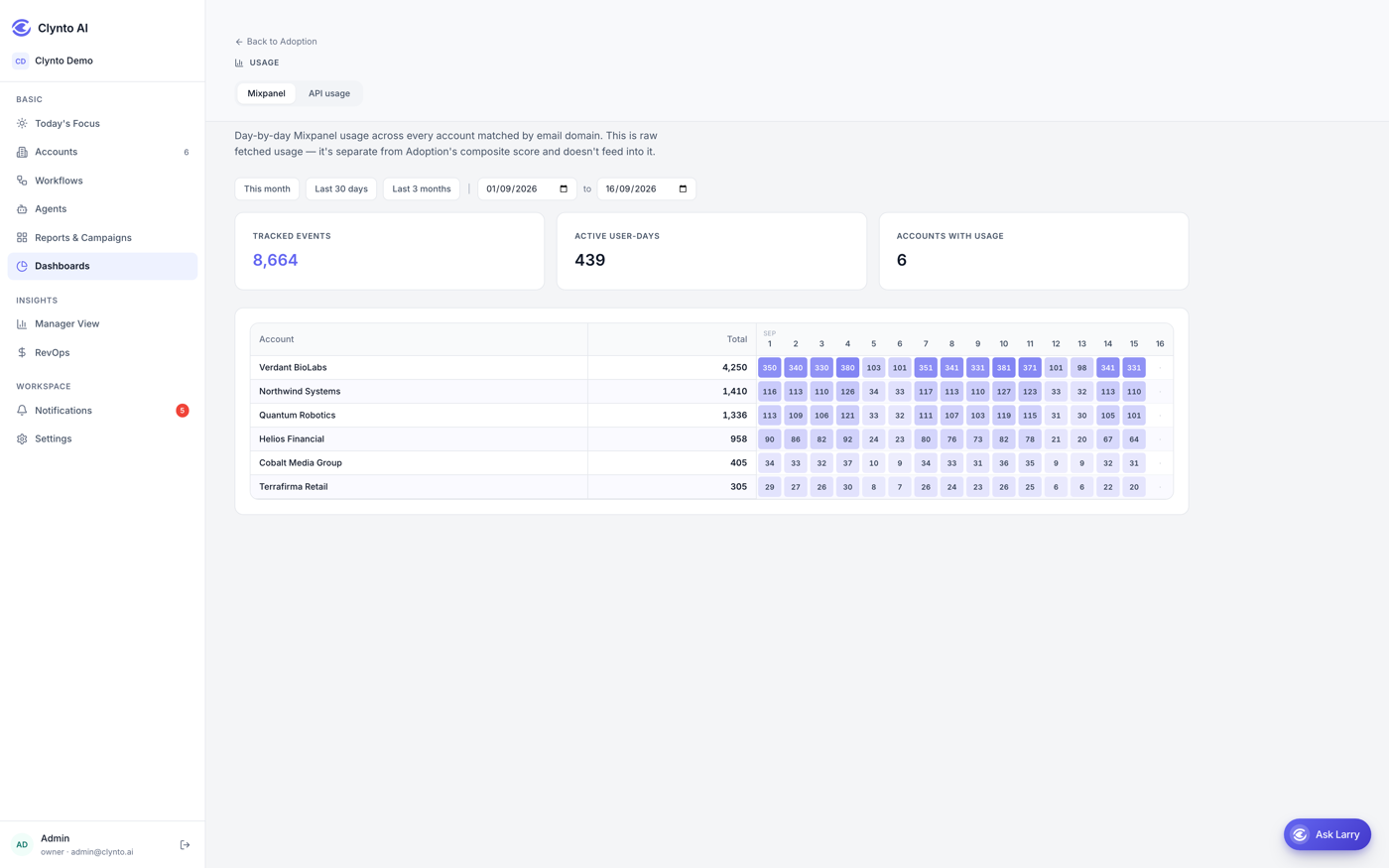
Product analytics at the account level, not the event level.
Clynto pulls per-user, per-account usage daily from Mixpanel and your analytics stack and turns it into what CS actually needs: seat utilisation, feature adoption, power-user concentration and decline curves.
- Daily sync, no manual exports
- Adoption percentage and active users per account
- Feeds directly into the health score and the expansion workflows
Agents
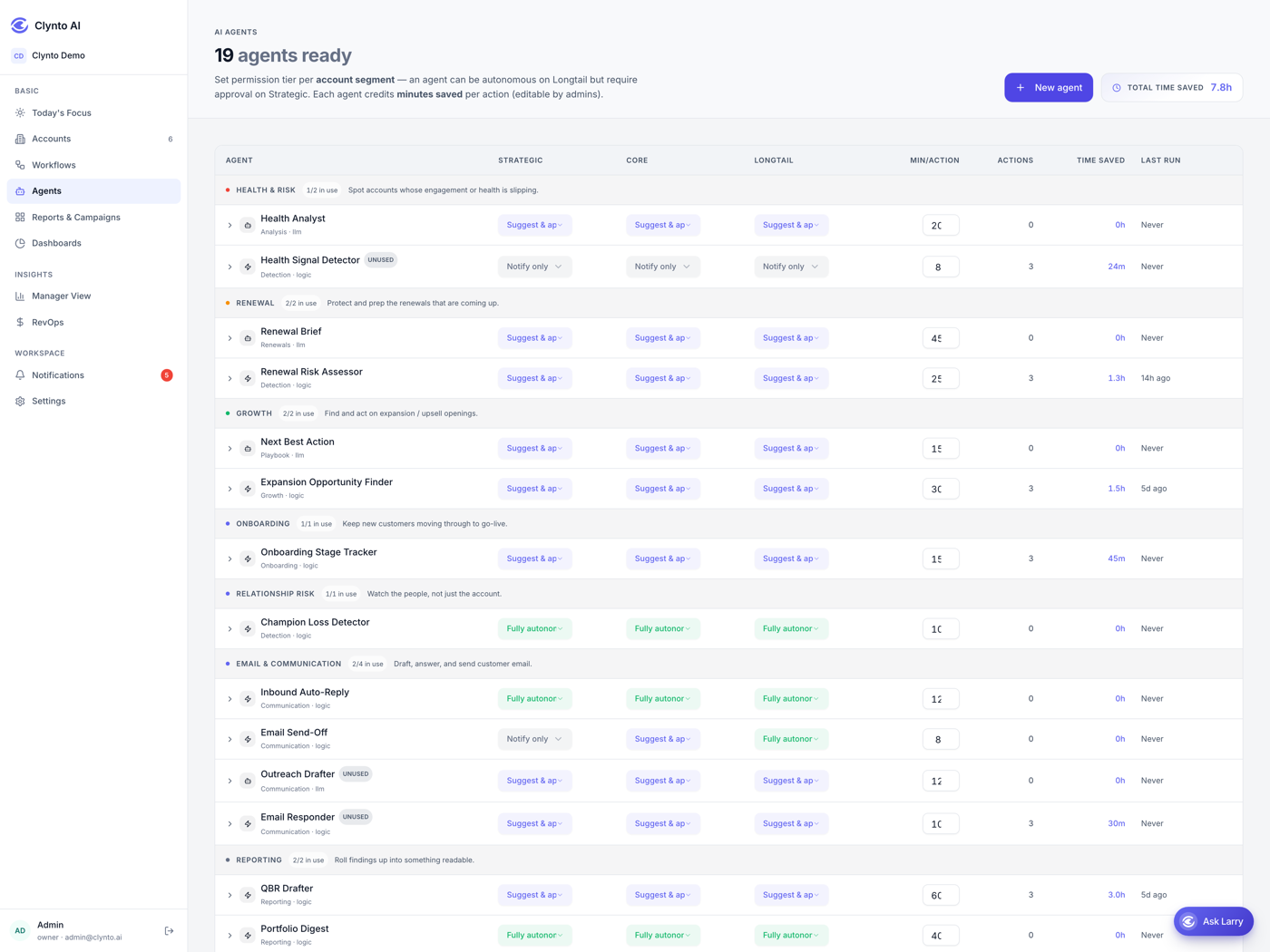
Nineteen specialists, working every account, every day.
Each agent has one job. They read signals, reason about them with a tiered model architecture (heavy reasoning where it’s needed, lightweight classification where it isn’t), and act according to the policy you set.
- Notify, draft for approval, or execute - set per agent and per segment
- A full audit trail carrying the reasoning behind each decision
- Build custom agents without code, and test them against historical accounts
Email Responder
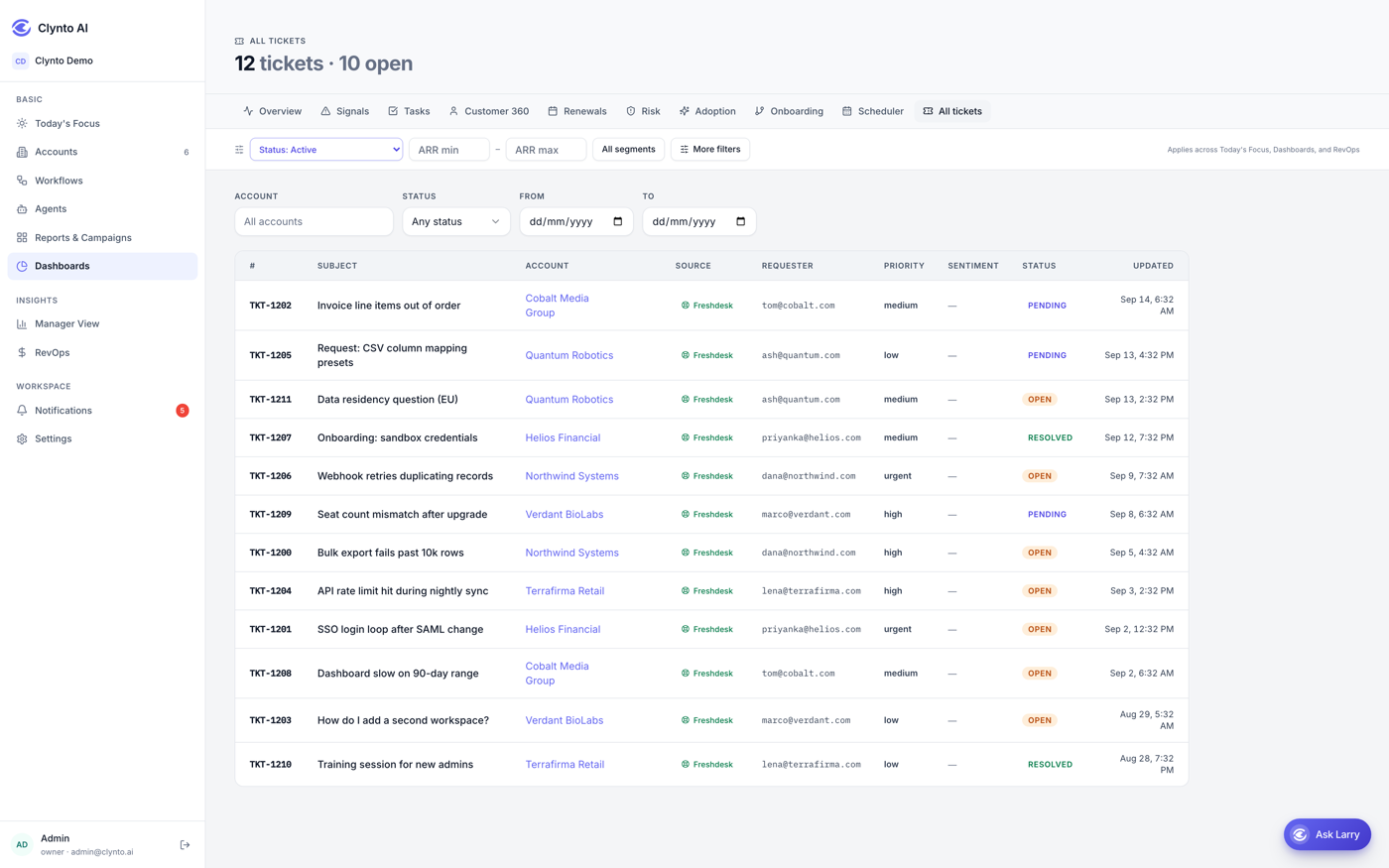
It replies to what the customer actually wrote.
A customer emails your Clynto address, it becomes a ticket on the right account, and the agent reads the real subject and body, works out tone and intent, and writes a reply to what was said. Your templates are shown to the model as examples of how your company writes, never rendered and sent verbatim - a templated reply cannot answer a real question.
- Saved as a draft by default - sending is a switch you throw
- Threads on In-Reply-To headers, not just a "Re:" subject line
- The customer's original subject is never rewritten
- Priority and sentiment assessed from the message, written to the ticket
- One reply per message, and it refuses no-reply, bounce and out-of-office mail
Campaigns
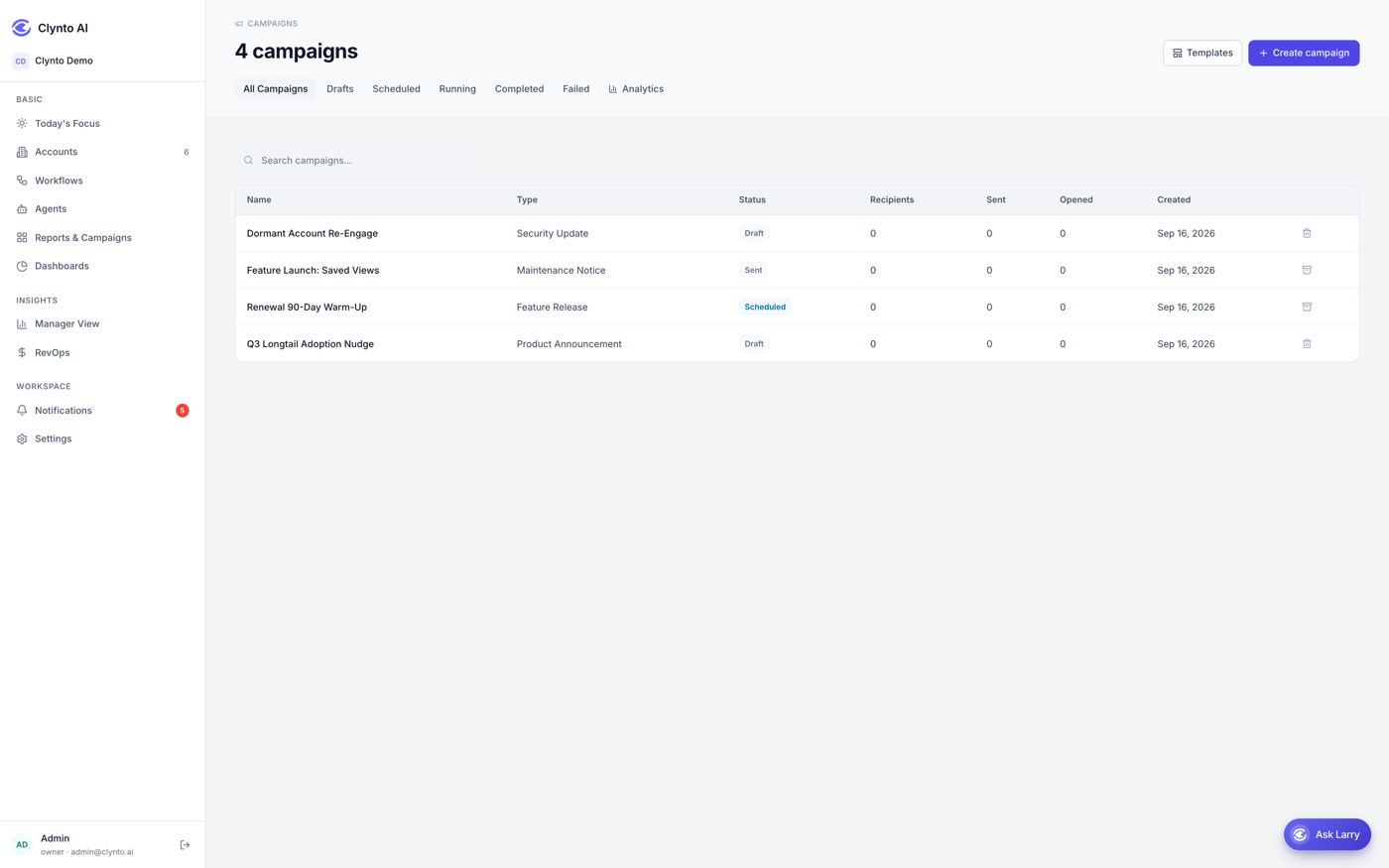
Reach a segment without mail-merging a spreadsheet.
Build the audience with a filter, compose in a block editor, then send now or schedule it. Marketing campaigns honour unsubscribes automatically - anyone who has opted out is skipped without you managing a list - and sending is paced rather than dumped at your mail provider in one burst.
- Audience built from a filter, materialised one recipient at a time
- Block email builder, from a template or blank
- Send now or schedule for a date and time
- Delivered, open, click, bounce and failure rates per campaign
- Paced sending, so a large campaign does not trip your provider
Workflow Builder
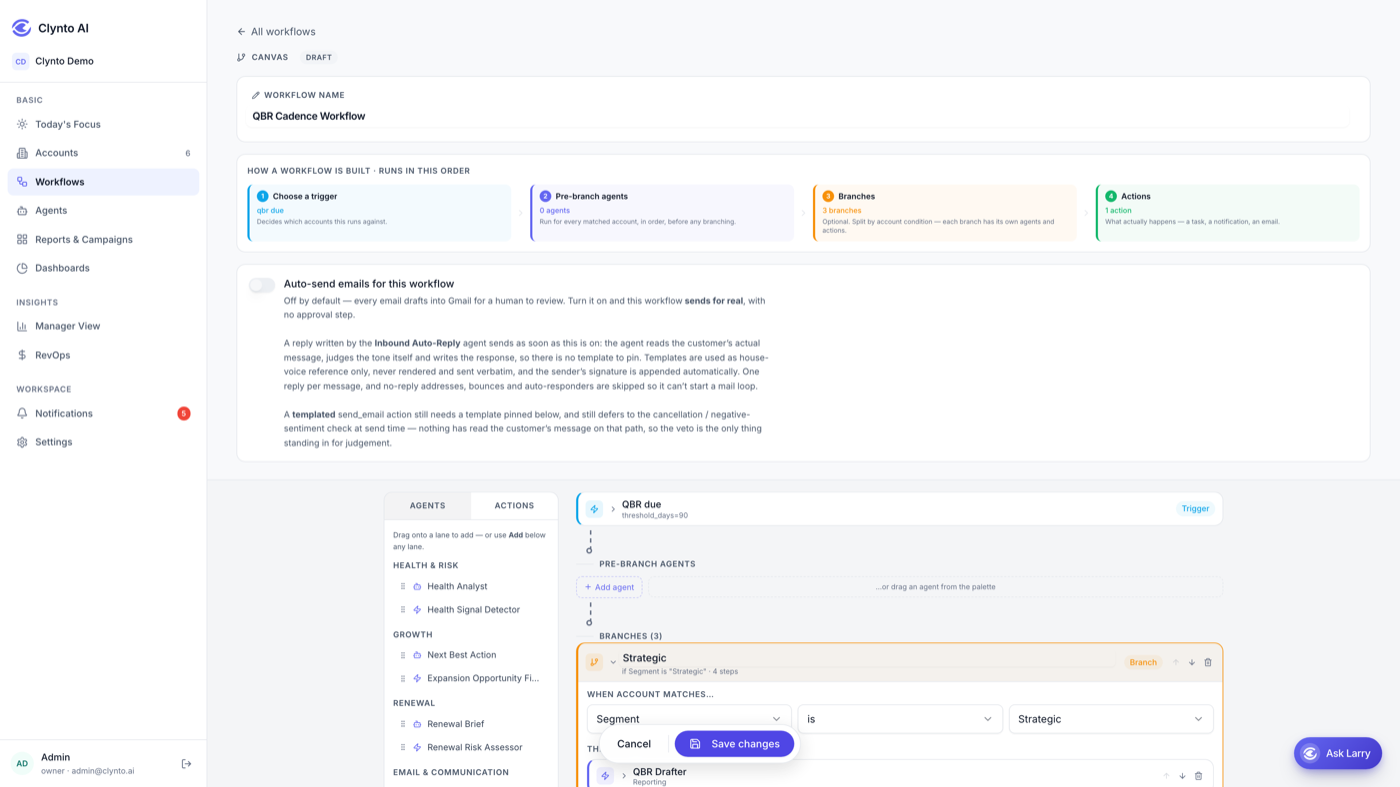
Your playbooks, finally running themselves.
Drag-and-drop triggers, conditions and actions. Ten workflows ship pre-built for the moments that decide NRR - Health Risk, Renewal Risk, Onboarding Stall, Champion Loss, Expansion Opportunity, QBR Cadence and more. Start from ours, ship yours.
- Twelve trigger events, seven actions, and branches on segment, health, ARR or renewal date
- Ten workflows seeded on day one, as drafts you can inspect before publishing
- The canvas refuses to let a workflow look fine while doing nothing
- Run it now to test at 15-second intervals instead of waiting for the 15-minute sweep
Longtail Automation
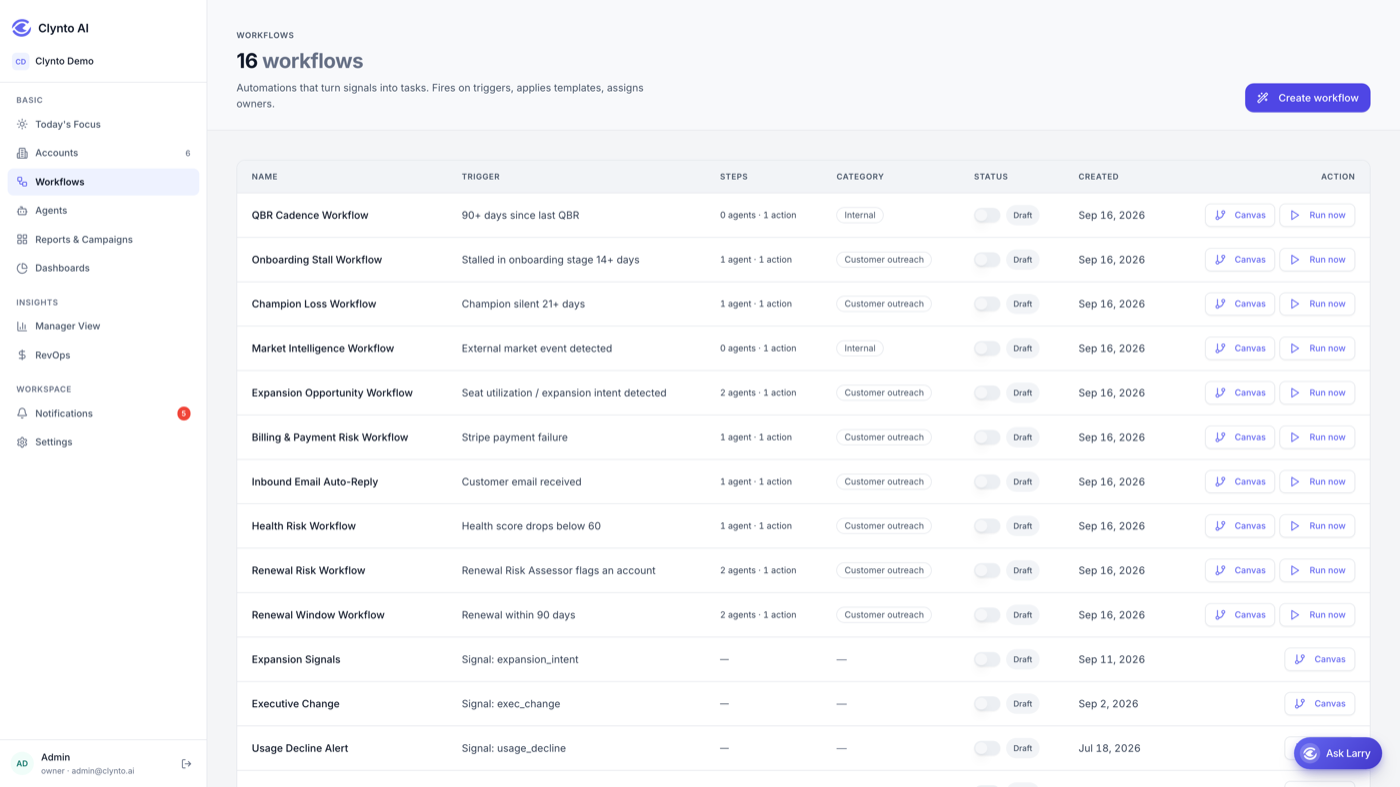
The accounts too small for a CSM, covered anyway.
Your longtail still churns and still expands - it just never gets a human. Segment thresholds decide which accounts qualify, and per-segment tiers let agents act freely there while staying approval-gated on your strategic book. The seeded workflows already route longtail branches through Playbook Executor and Escalation Handler, so the "let it run itself on the small accounts" pattern is set up out of the box.
- Segment thresholds you set once, from ARR - Strategic, Core, Longtail
- Agents run fully autonomous on longtail while staying notify-only on strategic
- Playbook Executor drives each sequence one step at a time
- Escalation Handler is the circuit-breaker when a sequence stalls instead of looping
Reports
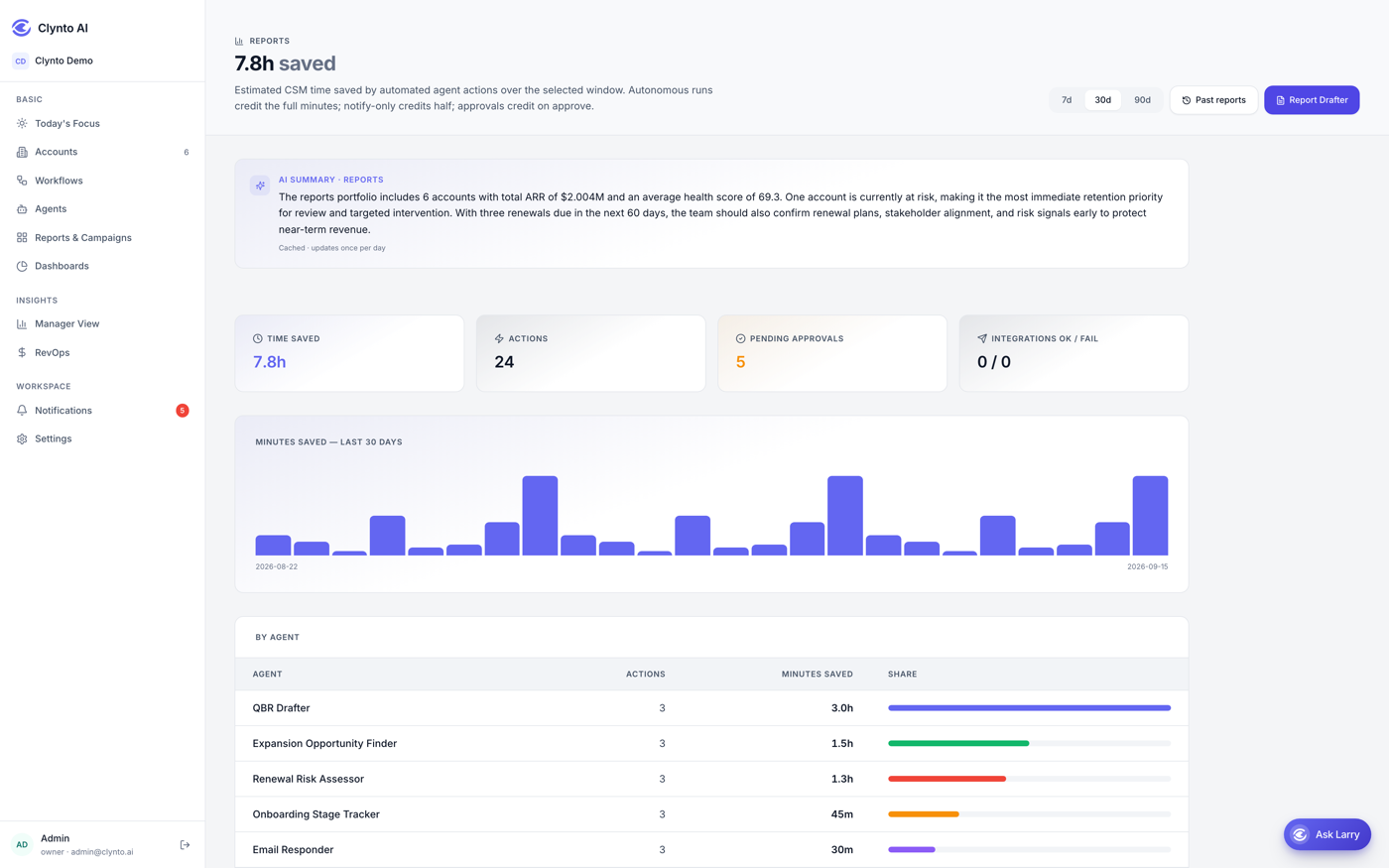
The business review, already written.
Pick accounts and a period - monthly, quarterly, half-yearly or annual - and Clynto drafts an executive-styled review: summary, health with per-dimension commentary, adoption, support experience, risks, recommendations and an action plan. Every number is computed from your data; the narrative is written from those numbers, and a chart only appears where a real measurement exists.
- Monthly, quarterly, half-yearly or annual periods
- Edit any narrative before sending - the numbers stay as computed
- Download as PDF, or send it and file it as a ticket on the account
- A separate time-saved ledger for your own internal reporting
RevOps
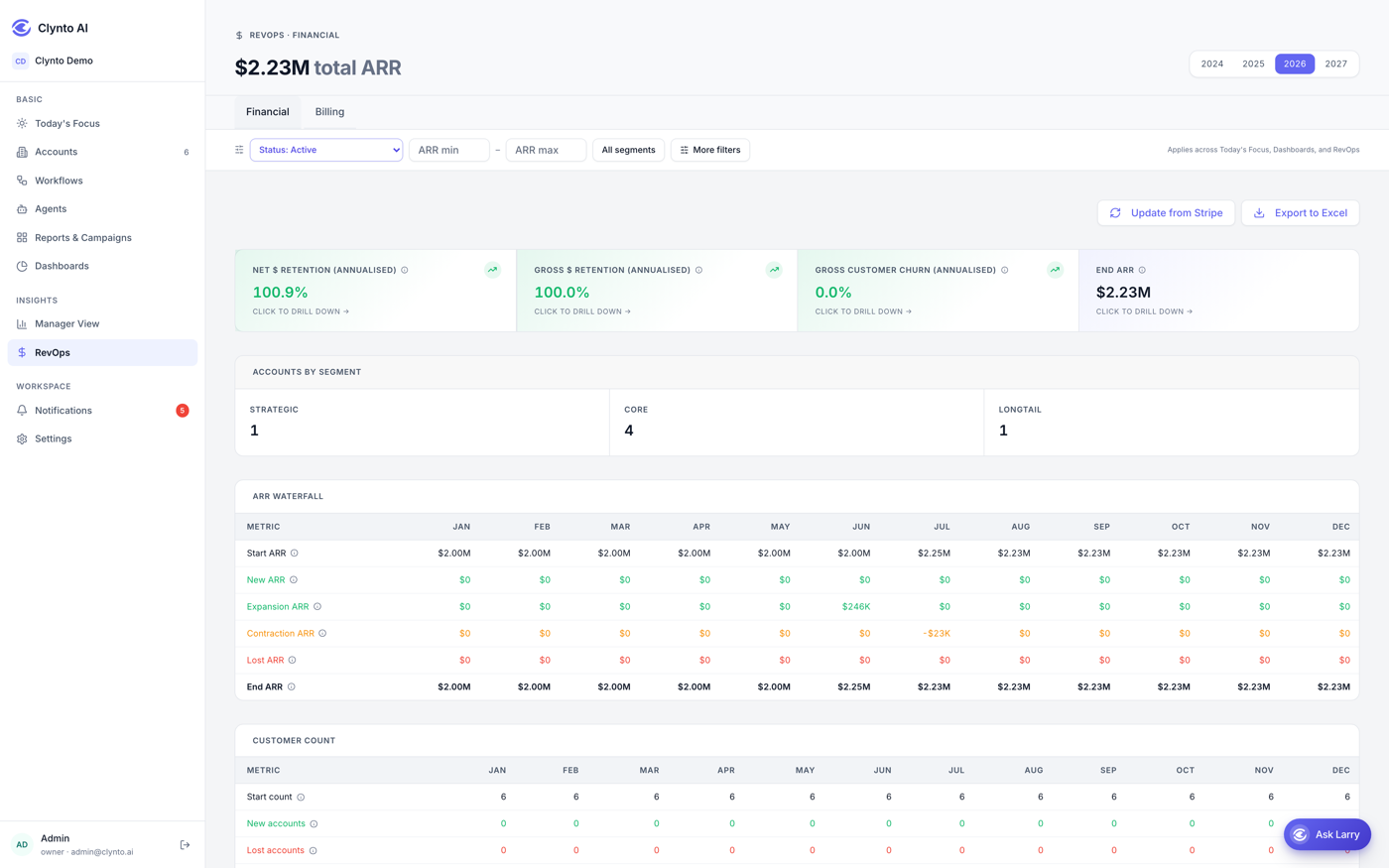
Where the revenue actually moved, and why.
Two views. Financial breaks ARR into new, expansion, contraction and churn by year, so a movement has a cause rather than just a delta. Billing projects invoice by invoice - who gets billed which month and for how much - driven by each account’s billing frequency.
- ARR waterfall: new, expansion, contraction and churn
- Invoice-level projection by month, from each billing frequency
- Movements arrive from Stripe or from CSV import
- Behind its own permission, separate from account access
Six stages, and the sub-stage an account is actually stuck in.
Clynto suggests a transition; you accept or dismiss it. Escalation is not a linear step - an account can drop into it from anywhere and recover back out.
Onboarding
- Kickoff
- Integration setup
- First value
- Go-live
Adoption
- Ramping usage
- Feature expansion
- Steady state
Renewal
- Renewal planning
- Negotiation
- Renewed
Expansion
- Opportunity identified
- Proposal
- Closed won
Escalation
- At risk
- Active escalation
- Recovery
Churned
- Offboarding
- Churned
A score you can show your working on.
It starts at 100 and subtracts. Optimistic by default - missing data is never penalised, so an account with no product analytics simply is not scored on adoption.
Open signals
−20 per high, −10 per medium, −5 per low
capped at −70
Adoption
(adoption% − 50) × 0.4 - so 100% adds 20, 0% subtracts 20
±20
Open support tickets
First three free, then −2 each
capped at −15
Twelve triggers, seven actions, and branches in between.
A workflow wires a trigger to agents to actions, splitting down branches on account conditions. Ten ship seeded on day one.
Triggers
- Health score drops
- Any signal raised
- Product usage declining
- Renewal approaching
- Renewal flagged at-risk
- Payment failed
- Customer email received
- QBR due
- Onboarding stalled
- Champion gone quiet
- Seat utilisation scan
- Market intelligence scan
Actions
- NotifyIn-app notification to the CSM, and Slack if connected.
- Create taskA task on the account, visible in Today’s Focus.
- Raise signalAn open signal, respecting your signal rules.
- Flag accountA named flag, surfaced on the Risk dashboard.
- Send emailDrafts into the connected mailbox by default.
- Update account fieldWrites one workflow-bookkeeping field.
- Push to CRMPushes the account to Salesforce.
The canvas will not let a workflow look fine while doing nothing
This is the part that separates a builder from a diagram. Each of these is caught before you publish, not discovered three weeks later when nobody got the alert.
- - A step whose type the engine has no handler for
- - An agent that can’t be driven by the chosen trigger
- - A required setting left empty
- - A trigger that needs a paired agent to detect anything
- - A missing integration the trigger depends on
- - An empty branch that accounts would fall through
- - A workflow with no agents and no actions at all
Seeded on day one
- Health Risk
- Renewal Risk
- Renewal Window
- Onboarding Stall
- Champion Loss
- Market Intelligence
- Expansion Opportunity
- Billing & Payment Risk
- Inbound Email Auto-Reply
- QBR Cadence
Connects to the stack you already run.
HubSpot
Deals and pipelines into accounts, ARR, renewal dates, contacts.
Stripe
Subscriptions and invoices into ARR, plus instant payment-failure and cancellation signals.

Freshdesk
Support tickets, companies and satisfaction ratings.
Mixpanel
Product usage into adoption %, active users and low-usage signals.
Gmail
Inbox and sent rollups in; drafts and sends out.

Outlook / Microsoft 365
The same sync as Gmail.

Slack
Notification and signal fan-out.
Calendar (iCal)
Calendar events into the Scheduler.
CSV / Excel
Accounts, contacts, ARR movements, signals and tasks.

Salesforce
The target of the Push-to-CRM action.
Read-only is enforced structurally, not just labelled - a read-only adapter has no write method to call, so a bug cannot push data back into your CRM. Write-back happens only where you enable it.
Explore all integrations →The screens behind the story.
Not every view gets a section of its own. Here is the rest of what your team opens day to day.
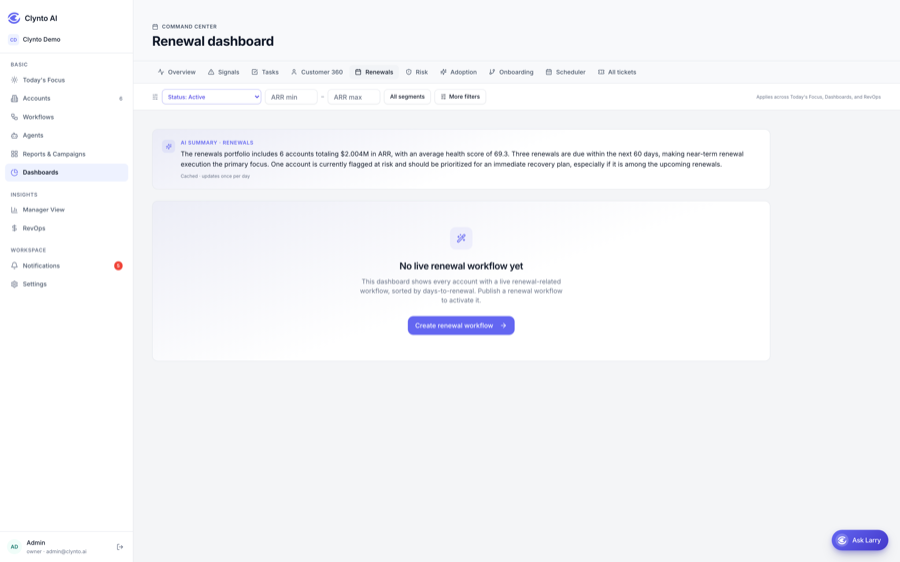
Renewals
What is renewing in the next 30, 60 and 90 days.
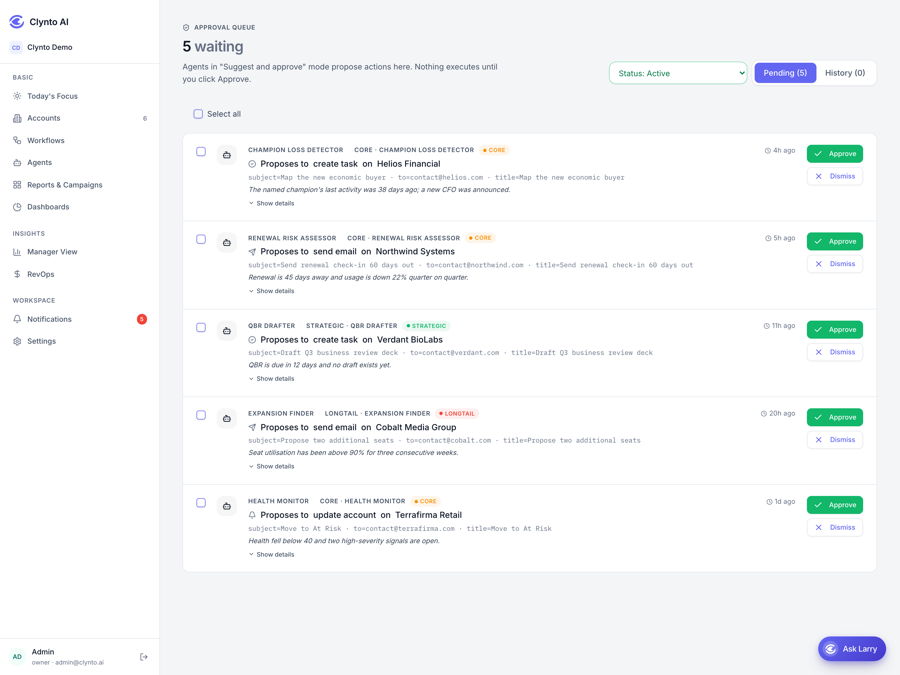
Approvals
Every action an agent proposed, with its reasoning.
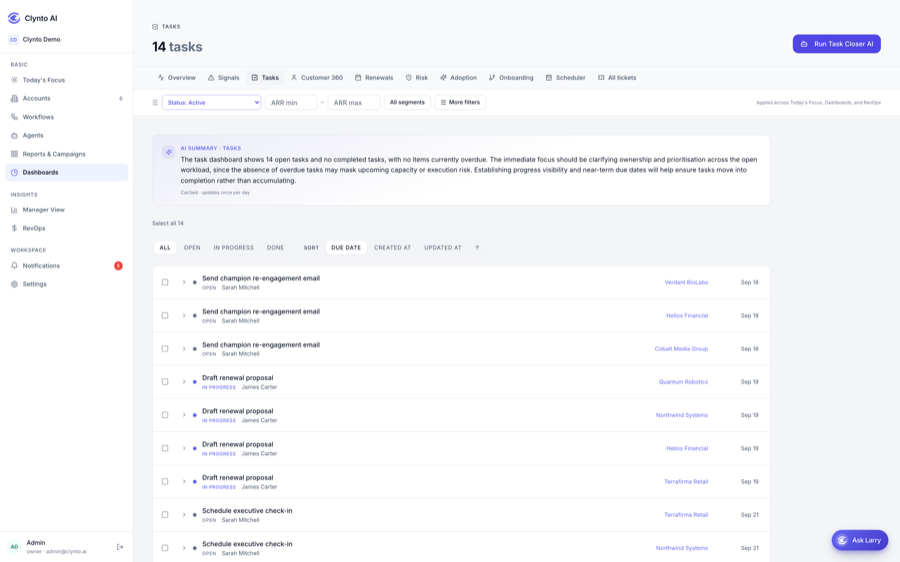
Tasks
Every task across every account, by status and owner.
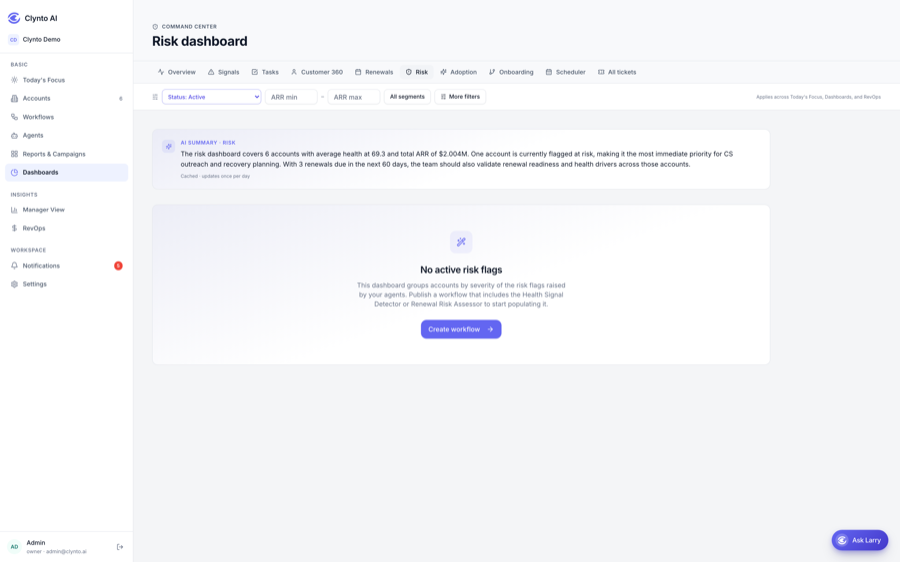
Risk
Accounts carrying risk and expansion-opportunity flags.
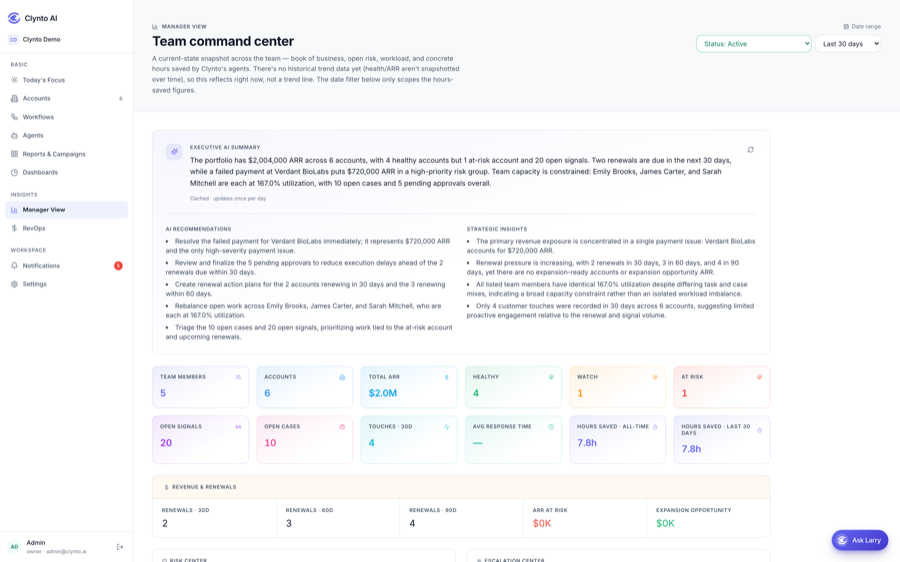
Manager View
Per-CSM load, portfolio health and agent activity.
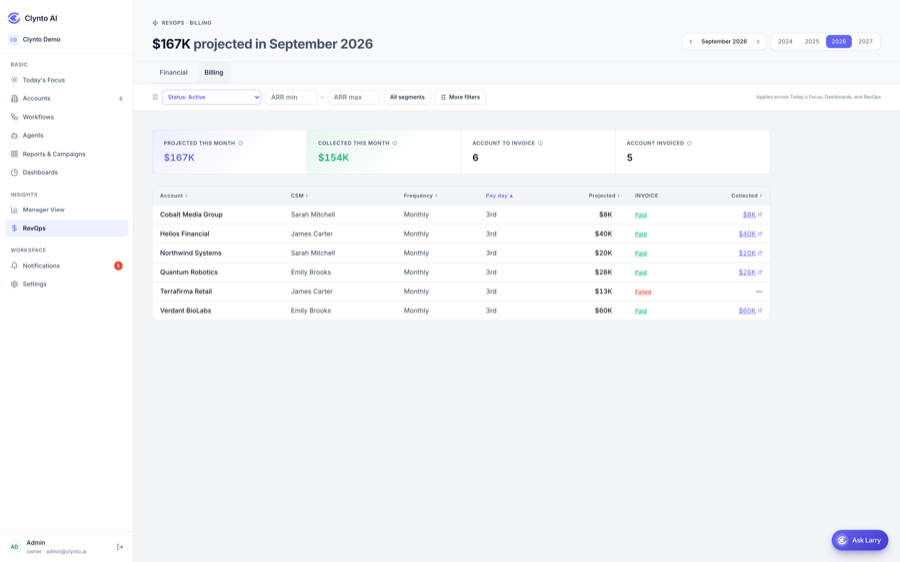
Billing projection
Who gets billed which month, and for how much.
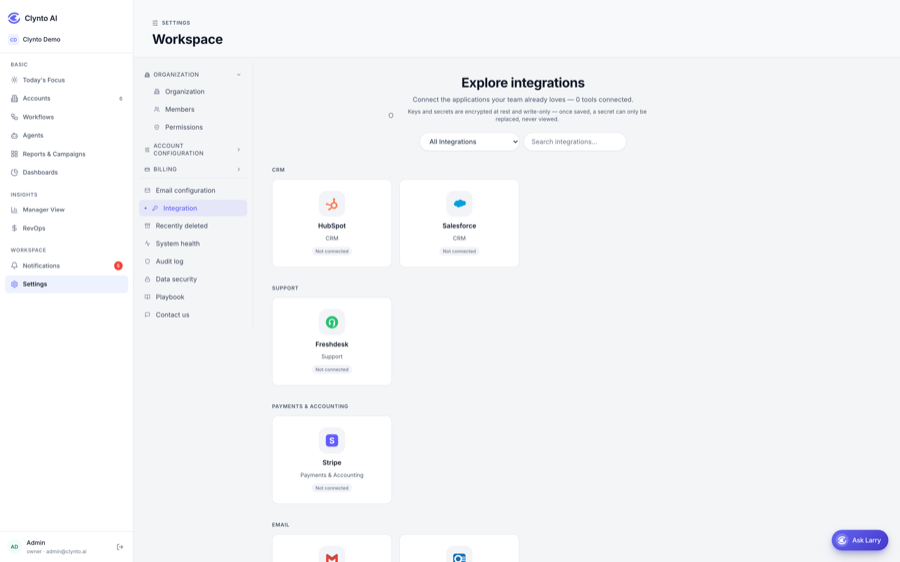
Integrations
Connected providers, sync history and failures.
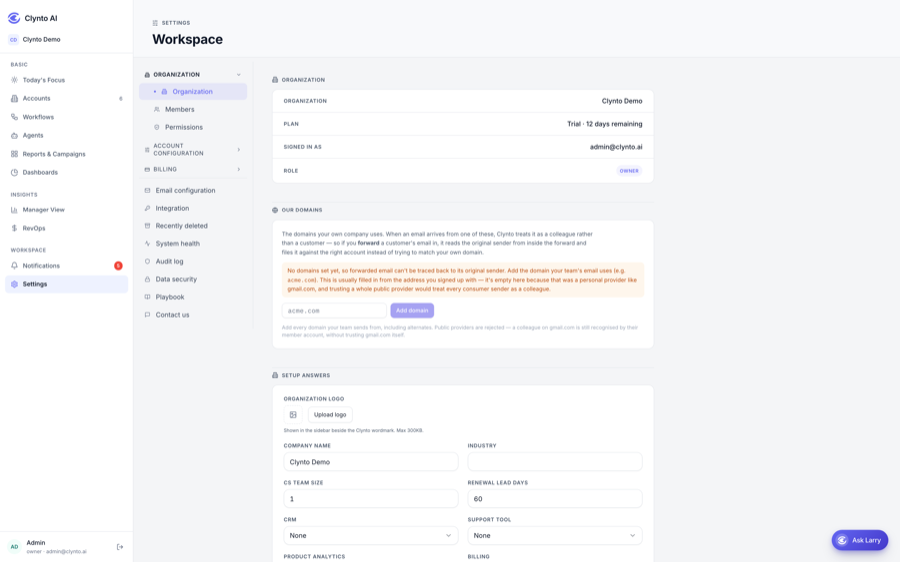
Settings
Members, roles and granular permissions.